You sleep. The triage doesn't stop.
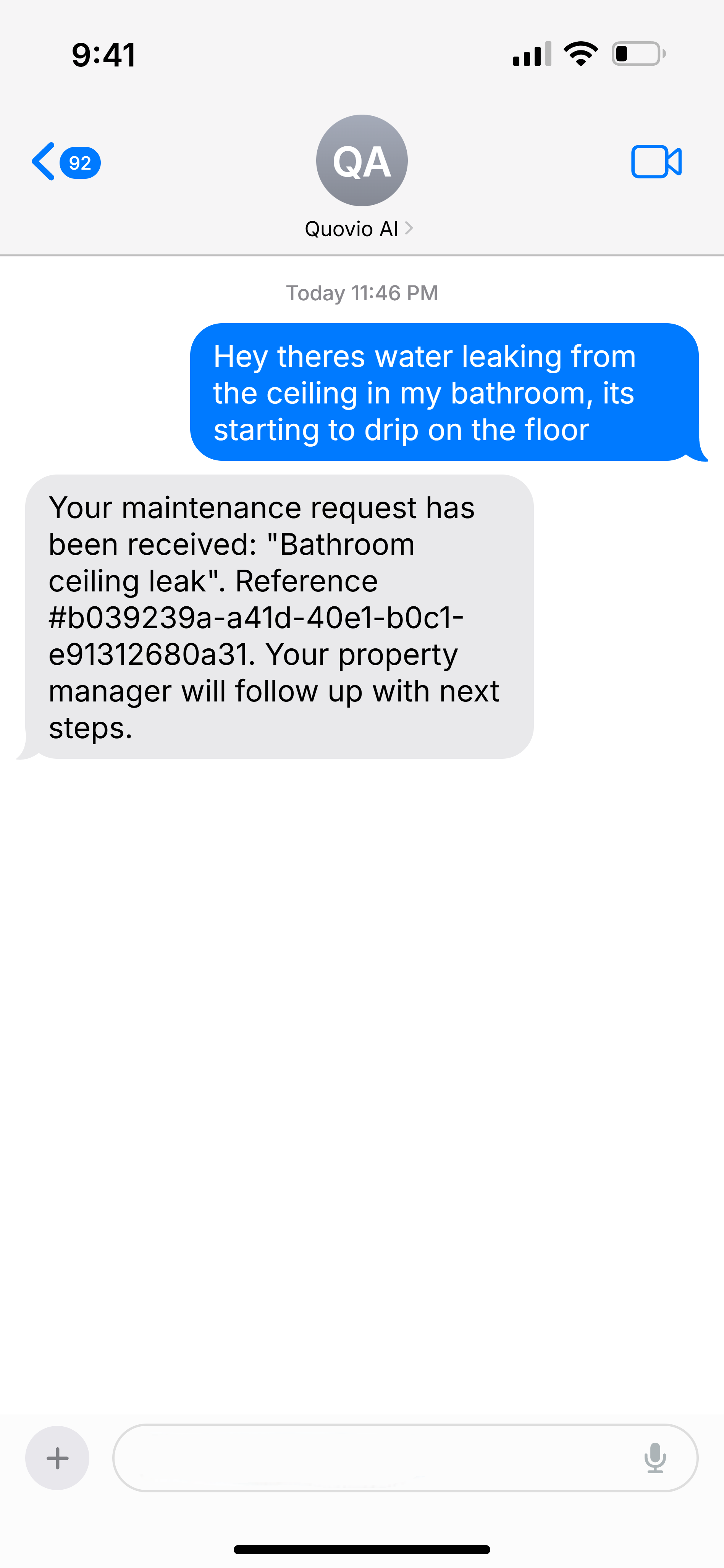
Tenants text or chat their issue. AI collects photos, categorizes urgency, and creates a work order — so you only handle what matters.
Three steps. Zero busywork.
Tenant texts their issue
Tenants describe the problem in plain English via SMS. No app download, no portal login. The AI asks follow-up questions and requests photos.
AI classifies and creates work order
The AI categorizes urgency (emergency, urgent, routine), identifies the trade needed, and creates a fully-formed work order with photos attached.
PM sees prioritized summary
You open your dashboard at 8 AM to a clean, prioritized list. Emergencies are flagged. Routine items are queued. You handle decisions, not data entry.
What happens when the AI gets it wrong?
Quovio's AI is a triage assistant, not a decision-maker. Every work order the AI creates goes through PM review before any action is taken. If the AI misclassifies something, you override it with one click. The AI learns from your corrections over time.
For anything that could affect a tenant's rights or tenancy status, the system always routes through a human approval step. This isn't optional — it's built into the architecture to comply with HUD 2024 guidance on AI in tenant communications.
Every triage conversation becomes a structured work order — no manual entry needed.
Emergency issues get flagged immediately. Routine requests queue up for morning review.
Ready to get your time back?
Start your 14-day free trial — every feature included on every plan. AI triage, compliance, dispatch, reporting, and more. Set up in under 15 minutes.
14-day free trial — cancel anytime before it ends and you won't be charged. Set up in under 15 minutes.